sbuggay / github-commit-vue
An auto-refreshing web log of your recent GitHub commit activity.
★ 7 stars
⑂ 0 forks
👁 7 watching
expressgitgithubjavascriptnodevue
📥 Clone
https://github.com/sbuggay/github-commit-vue.git

📂 master
View all commits →
📄 README.md
github-commit-vue

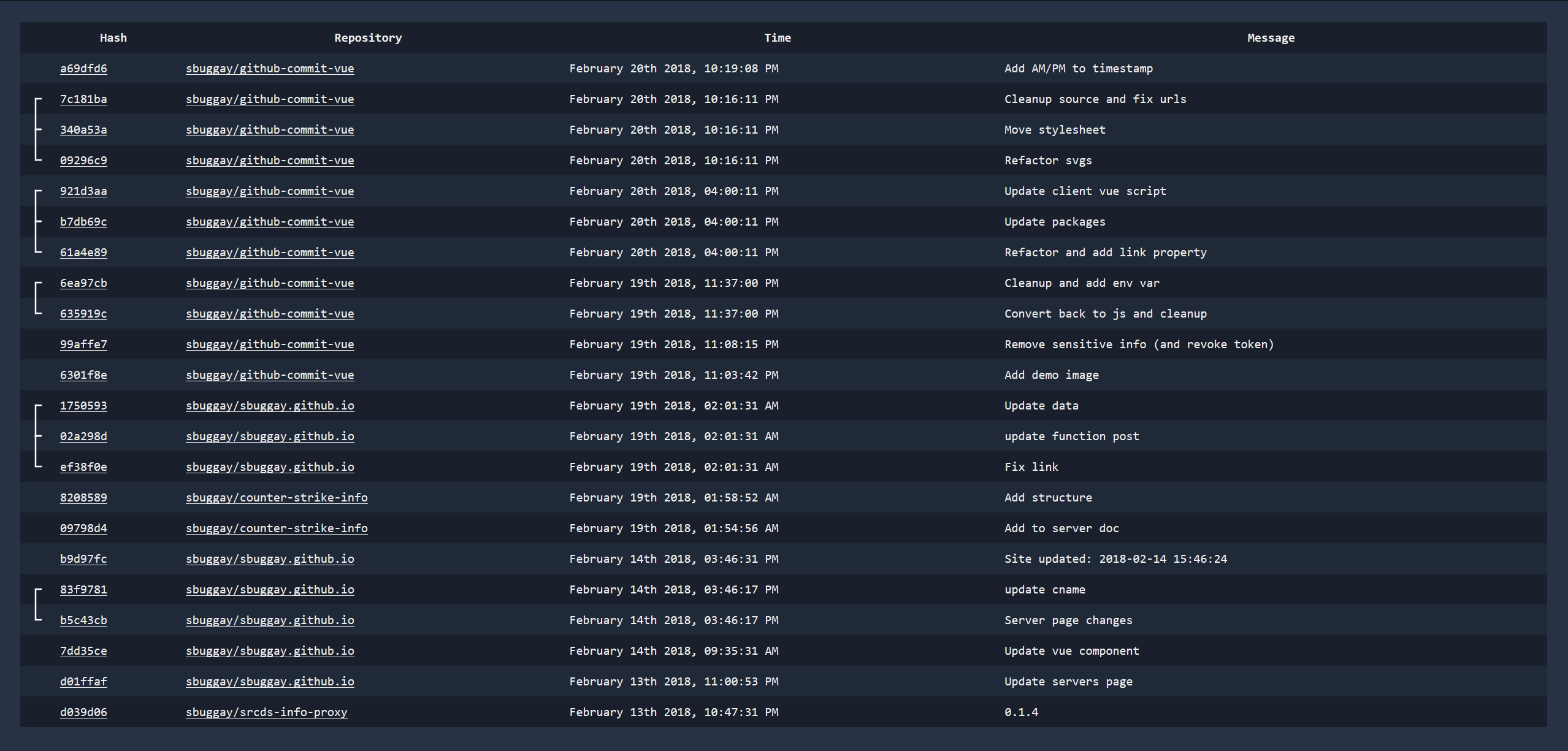
github-commit-vue is a simple single page app that will show you your latest commits. This can probably easily be changed to track certain project/organization commits instead which would be far more interesting for a team dashboard or something.
You can acquire this through:
> npm install -g github-commit-vueRun it with simply:
> github-commit-vue [options]github-commit-vue listening on port 3030Usage
Usage: main [options]


  Options:

    -V, --version  output the version number
    -u, --user     GitHub Username
    -t, --token    GitHub API Token (https://github.com/settings/tokens)
    -p, --port     Port (optional, default: 3030)
    -h, --help     output usage information
You must provide your GitHub username -u and a GitHub access token -t. You can generate a new token here: https://github.com/settings/tokens. Make sure they have repo and user permissions.
These options can also be set through env variables, although the command line arguments take precedence.
GITHUB_COMMIT_VUE_USERGITHUB_COMMIT_VUE_TOKENGITHUB_COMMIT_VUE_PORT(optional, default: 3030)
Contributing
Clone the repo.
Install dependencies
npm installStart the app
npm start