1
2
3
4
5
6
7
8
9
10
11
12
13
14
15
16
17
18
19
20
21
22
23
24
25
26
27
28
29
30
31
32
33
34
35
36
37
38
39
40
41
42
43
44
45
46
47
48
49
50
51
52
53
54
55
56
57
58
59# github-commit-vue
[](https://badge.fury.io/js/github-commit-vue)
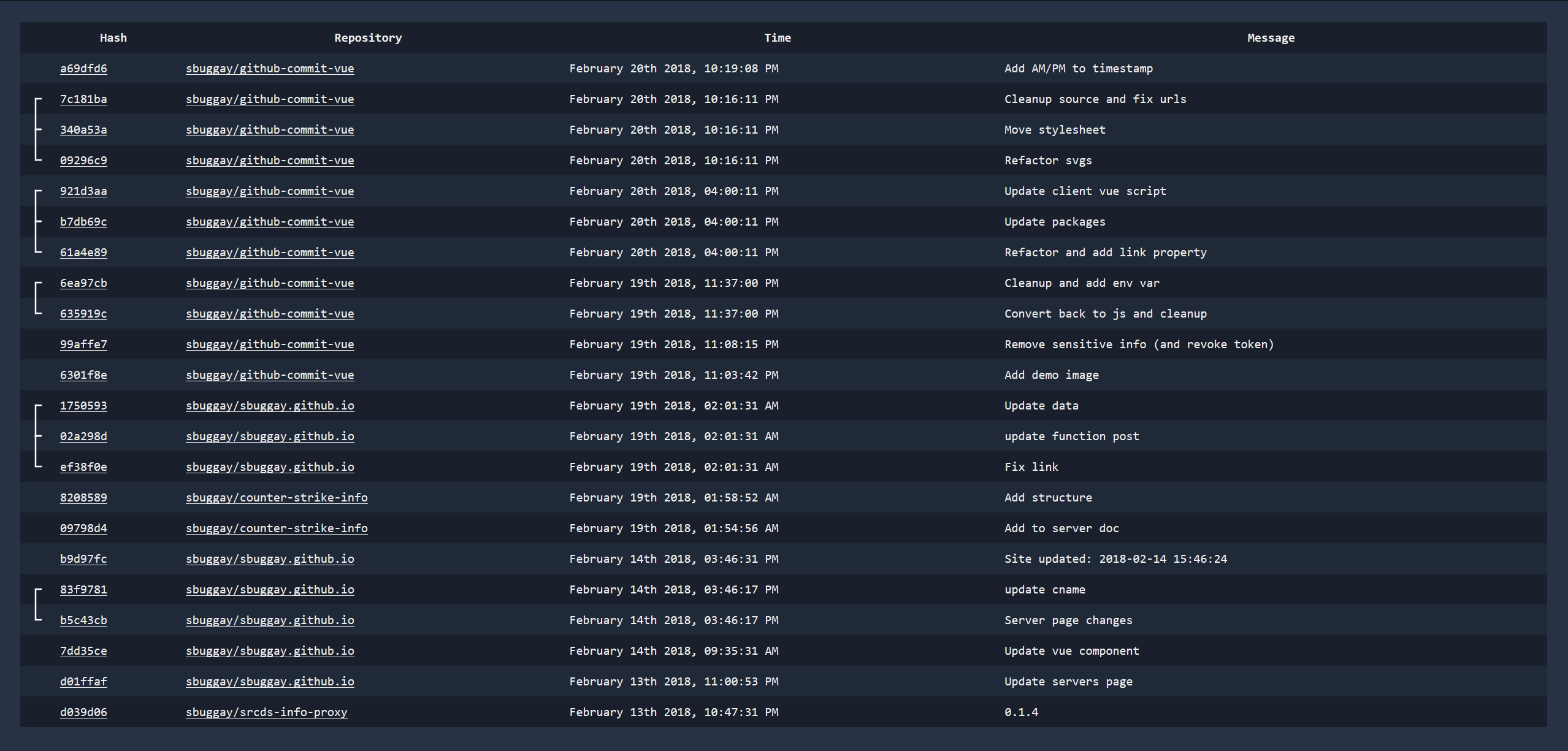
github-commit-vue is a simple single page app that will show you your latest commits. This can probably easily be changed to track certain project/organization commits instead which would be far more interesting for a team dashboard or something.
You can acquire this through:
```
> npm install -g github-commit-vue
```
Run it with simply:
```
> github-commit-vue [options]
```
```
github-commit-vue listening on port 3030
```
## Usage
```
Usage: main [options]
Options:
-V, --version output the version number
-u, --user GitHub Username
-t, --token GitHub API Token (https://github.com/settings/tokens)
-p, --port Port (optional, default: 3030)
-h, --help output usage information
```
You must provide your GitHub username `-u` and a GitHub access token `-t`. You can generate a new token here: https://github.com/settings/tokens. Make sure they have repo and user permissions.
These options can also be set through env variables, although the command line arguments take precedence.
- `GITHUB_COMMIT_VUE_USER`
- `GITHUB_COMMIT_VUE_TOKEN`
- `GITHUB_COMMIT_VUE_PORT` (optional, default: 3030)
## Contributing
Clone the repo.
Install dependencies
```
npm install
```
Start the app
```
npm start
```