joethei / obsidian-tagcloud
Show a cloud of your tags/words/links in a note
★ 63 stars
⑂ 4 forks
👁 63 watching
⚖️ GNU General Public License v3.0
obsidian-mdobsidian-plugin
📥 Clone
https://github.com/joethei/obsidian-tagcloud.git

📂 master
View all commits →
📄 README.md
Tag, Word & Link Cloud
Plugin for Obsidian



With this plugin you can create a tag, link or word cloud in your notes. To do this create a codeblock with the language set to either
tagcloud, wordcloud or linkcloud.
You can configure your cloud using a YAML syntax.
Tag Cloud
 Displays all tags that fit your selection.
Examples
Show all tags in the entire vault
~~~markdown ``tagcloud
`
~~~

#### Show all tags in the current file

~~~markdown
`tagcloud
source: file
`
~~~

#### Show all tags from a folder/file.
> ⚠️ Requires Dataview

~~~markdown
`tagcloud
source: query
query: Folder/File
`
~~~

#### Show all tags that show up together with our tag.
> ⚠️ Requires Dataview

~~~markdown
`tagcloud
source: query
query: '#yourTag'
`
~~~

#### Show all tags from notes that link to note.
> ⚠️  Requires Dataview

~~~markdown
`tagcloud
source: query
query: '[[Other note]]'
`
~~~


### Options

| **Name** | **Description**                                                                                                | **Possible Values**                                                                        |
|----------|----------------------------------------------------------------------------------------------------------------|--------------------------------------------------------------------------------------------|
| query    | Requires [Dataview](https://github.com/blacksmithgu/obsidian-dataview), requires
source to be set to query | A valid [Dataview Source](https://blacksmithgu.github.io/obsidian-dataview/query/sources/) |
| exclude | exclude certain tags from the tagcloud | an array of tags |
All other options from [here](#general-options) still apply
## Word Cloud
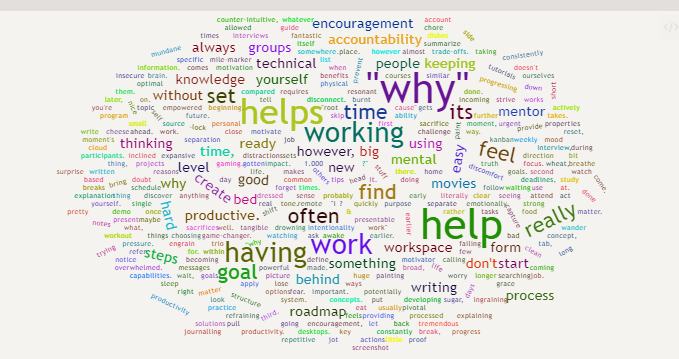
a wordcloud displays all words in your vault/note.
> ⚠ Word distribution will only be calculated when loading a vault and by running the Recalculate Word Distribution command.
>
> This is because the calculation is computationally expensive and takes some time.[^performance]
### Examples
#### Show all words in the entire vault
~~~markdown
`wordcloud
`
~~~

#### Show all words in the current file

~~~markdown
`wordcloud
source: file
`
~~~

#### Show all words using a folder/file

~~~markdown
`wordcloud
source: file
query: 'Folder/File'
`
~~~

### Options

| **Name**  | **Description**                                                                                                 | **Possible Values** | **Default** |
|-----------|-----------------------------------------------------------------------------------------------------------------|---------------------|-------------|
| stopwords | Remove all [stopwords](https://www.opinosis-analytics.com/knowledge-base/stop-words-explained/) from the result | true/ false | true |
All other options from [here](#general-options) still apply
## Link Cloud
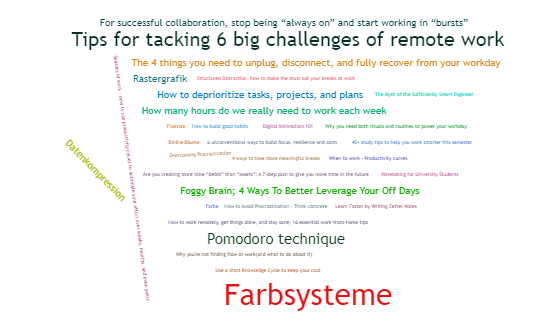
A link cloud displays all links in your vault.
This cloud can only be generated vault wide.
### Examples
#### Show all links
~~~markdown
`linkcloud
`
~~~

#### Show all links to existing files

~~~markdown
`linkcloud
type: resolved
`
~~~

#### Show all links to non-existing files

~~~markdown
`linkcloud
type: unresolved
`
~~~

### Options

| **Name** | **Description**             | **Possible Values**              | **Default** |
|----------|-----------------------------|----------------------------------|-------------|
| type | Which type of links to show | resolved, unresolved, both | resolved |
The following options also apply.
## General Options
The following options are supported for all clouds.
| **Name** | **Description** | **Possible Values** | **Default** |
|-------------|------------------------------------------------------------------------------------------------------------------|-----------------------------------------------------------------------------------------------------------------------------|----------------------------------------|
| shape | What shape to draw | circle, cardioid, diamond, square, triangle-forward, triangle, pentagon, star | circle |
| source | where are the tags/words coming from? | file, vault, query(only supported in tagcloud) | vault |
| weight | factor by wich the size of a word is multiplied | any positive integer | 2 |
| shrinkToFit | Adjust word weight to make it fit | true/false | true |
| minCount | Minumum number of occurances | any positive integer | 0 |
| maxDepth | Only show the X most used elements(if two elements have the same number of occurrences only one will be counted) | any positive integer (increasing this number may result in the cloud not showing, as only so many elements can be rendered) | 25 |
| background | Background color | a hexadecimal RGB value | background color from the chosen theme |
| width | Width of canvas | in pixels (the px is omitted) | line width |
| height | Height of canvas | in pixels (the px is omitted) | width / 2 |
| fontFamily | font used to display | any valid [font-family](https://developer.mozilla.org/docs/Web/CSS/font-family) | |
| fontWeight | font weight | normal, bold, or a number | normal |
| minFontSize | minumum font size | any number | 0 |
| minRotation | the minimum rotation the text should rotate | number (in rad) | - pi / 2 |
| maxRotation | the maximum rotation the text should rotate | number (in rad) | pi / 2 |
| ellipticity | degree of 'flatness' | number | 0.65 |
| shuffle | produce a different looking result each time? | true/false | true |
| rotateRatio | Rotation Probability | Number as percentage (so 1.0 is 100%) | 0.1 |
## Known issues
- In some specific scenario the calculated width off the used canvas` element is 0.
The plugin will fall back to a value of 500, which depending on the size of your obsidian window, might look strange.
Credits
- Built using wordcloud2.js
- and stopword
- as well as the Dataview API
- With help from the code of Tag Wrangler
- Some Code taken from the Word Count Dashboard for Dataview