hashicorp / terraform-provider-vault
Terraform Vault provider
📥 Clone
https://github.com/hashicorp/terraform-provider-vault.git
Terraform Provider ==================
- Website: https://www.terraform.io

- Mailing list: Google Groups
This provider plugin is maintained by the Vault team at HashiCorp.
Best Practices
We recommend that you avoid placing secrets in your Terraform config or state file wherever possible, and if placed there, you take steps to reduce and manage your risk. We have created a practical guide on how to do this with our opensource versions in Best Practices for Using HashiCorp Terraform with HashiCorp Vault:
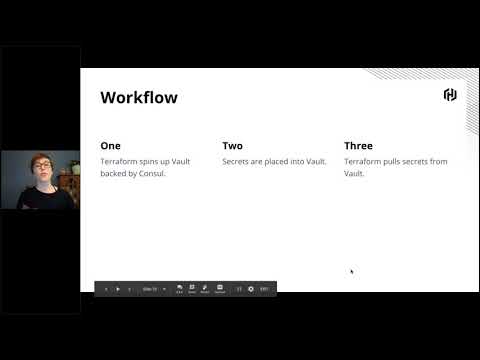
This webinar walks you through how to protect secrets when using Terraform with Vault. Additional security measures are available in paid Terraform versions as well.
Requirements
- Terraform 0.12.x and above, we recommend using the latest stable release whenever possible.
- Go 1.20 (to build the provider plugin)
Clone repository to:
$GOPATH/src/github.com/hashicorp/terraform-provider-vault
$ mkdir -p $GOPATH/src/github.com/hashicorp; cd $GOPATH/src/github.com/hashicorp
$ git clone git@github.com:hashicorp/terraform-provider-vault
Enter the provider directory and build the provider
$ cd $GOPATH/src/github.com/hashicorp/terraform-provider-vault
$ make build
Developing the Provider
If you wish to work on the provider, you'll first need Go installed on your machine (version 1.20+ is required). You'll also need to correctly setup a GOPATH, as well as adding
$GOPATH/bin to your $PATH.
To compile the provider, run make build. This will build the provider and put the provider binary in the $GOPATH/bin directory.
$ make build
...
$ $GOPATH/bin/terraform-provider-vault
...
In order to test the provider, you can simply run make test.
$ make testIn order to run the full suite of Acceptance tests, you will need the following:
Note: Acceptance tests create real resources, and often cost money to run.
- An instance of Vault running to run the tests against
- The following environment variables are set:
VAULT_ADDR- location of Vault
VAULT_TOKEN- token used to query Vault. These tests do not attempt to read~/.vault-token.- The following environment variables may need to be set depending on which acceptance tests you wish to run.
AWS_ACCESS_KEY_ID
AWS_SECRET_ACCESS_KEY
GOOGLE_CREDENTIALSthe contents of a GCP creds JSON, alternatively read fromGOOGLE_CREDENTIALS_FILE
RMQ_CONNECTION_URI
RMQ_USERNAME
RMQ_PASSWORD
ARM_SUBSCRIPTION_ID
ARM_TENANT_ID
ARM_CLIENT_ID
ARM_CLIENT_SECRET
ARM_RESOURCE_GROUP- Run
make testacc
TESTARGS environment variable:
TESTARGS="--run DataSourceAWSAccessCredentials" make testaccUsing a local development build
It's possible to use a local build of the Vault provider with Terraform directly. This is useful when testing the provider outside the acceptance test framework.
Configure Terraform to use the development build of the provider.
warning: backup your ~/.terraformrc before running this command:
cat > ~/.terraformrc <<HERE
provider_installation {
  dev_overrides {
    "hashicorp/vault" = "$HOME/.terraform.d/plugins"
  }

  # For all other providers, install them directly from their origin provider
  # registries as normal. If you omit this, Terraform will _only_ use
  # the dev_overrides block, and so no other providers will be available.
  direct {}
}
HERE
Then execute the dev make target from the project root.
make devdev provider build instead of the provider
from the HashiCorp registry.
Debugging the Provider
The following is adapted from Debugging Providers.
Starting A Provider In Debug Mode
You can enable debbuging with the make debug target:
make debugThis target will build a binary with compiler optimizations disabled and copy
the provider binary to the ~/.terraform.d/plugins directory. Next run Delve
on the host machine:
dlv exec --accept-multiclient --continue --headless --listen=:2345 \
  ~/.terraform.d/plugins/terraform-provider-vault -- -debug
The above command enables the debugger to run the process for you.
terraform-provider-vault is the name of the executable that was built with
the make debug target. The above command will also output the
TF_REATTACH_PROVIDERS information:
TF_REATTACH_PROVIDERS='{"hashicorp/vault":{"Protocol":"grpc","ProtocolVersion":5,"Pid":52780,"Test":true,"Addr":{"Network":"unix","String":"/var/folders/g1/9xn1l6mx0x1dry5wqm78fjpw0000gq/T/plugin2557833286"}}}'Connect your debugger, such as your editor or the Delve CLI, to the debug server. The following command will connect with the Delve CLI:
dlv connect :2345At this point you may set breakpoint in your code.
Running Terraform With A Provider In Debug Mode
Copy the line starting with TF_REATTACH_PROVIDERS from your provider's output.
Either export it, or prefix every Terraform command with it.
Run Terraform as usual. Any breakpoints you have set will halt execution and show you the current variable values.