1
2
3
4
5
6
7
8
9
10
11
12
13
14
15
16
17
18
19
20
21
22
23
24
25
26
27
28
29
30
31
32
33
34
35
36
37
38
39
40
41
42
43
44
45
46
47
48
49
50
51
52
53
54
55
56
57
58
59
60
61
62
63
64
65
66
67
68
69
70
71
72
73
74
75
76
77
78
79
80
81
82
83
84
85
86
87
88
89
90
91
92
93
94
95
96
97
98
99
100
101
102
103
104
105
106
107
108
109
110
111
112
113
114
115
116
117
118
119
120
121
122
123
124
125
126
127
128
129
130
131
132
133
134
135
136
137
138
139
140
141
142
143
144
145
146
147
148
149
150
151
152
153
154
155
156
157
158
159
160
161
162
163
164
165
166
167
168
169
170
171
172
173
174
175
176
177
178
179
180
181
182
183
184<p align="right">
<strong>中文</strong> | <a href="./README.en.md">English</a>
</p>
<div align="center">
# 网站数据卡片
_✨ 在 README 中展示网站数据,也可用于网站状态监控 ✨_
</div>
<p align="center">
<a href="https://raw.githubusercontent.com/songquanpeng/stats-cards/master/LICENSE">
<img src="https://img.shields.io/github/license/songquanpeng/stats-cards?color=brightgreen" alt="license">
</a>
<a href="https://github.com/songquanpeng/stats-cards/releases/latest">
<img src="https://img.shields.io/github/v/release/songquanpeng/stats-cards?color=brightgreen&include_prereleases" alt="release">
</a>
<a href="https://stats.justsong.cn/">
<img src="https://stats.justsong.cn/api/website/?url=https://stats.justsong.cn/" alt="release">
</a>
</p>
<p align="center">
<a href="#描述">描述</a>
·
<a href="#演示">演示</a>
·
<a href="https://stats.justsong.cn/reward.html">赞赏</a>
·
<a href="https://github.com/songquanpeng/stats-cards/issues">反馈</a>
</p>
## 描述
### 支持的网站列表
当前支持以下网站,欢迎 PR:
- [x] 知乎
- [x] B 站
- [x] LeetCode
- [x] LeetCode 中文站
- [x] 掘金(By [@jiweiyuan](https://github.com/jiweiyuan))
- [ ] 思否
- [x] 牛客
- [x] CSDN
- [x] GitHub
- [x] Steam
- [ ] 网易云音乐
- [x] Codeforces
- [x] 自定义网站监控
### 支持的主题列表
支持多种主题,使用时在 url 后加入 `&theme=<theme_name>` 即可,例如:
`https://stats.justsong.cn/api/leetcode/?username=quanpeng&theme=dark`
<p>
<img src="https://stats.justsong.cn/api/leetcode/?username=quanpeng&theme=light" alt="JustSong's LeetCode Stats" width="49%" />
<img src="https://stats.justsong.cn/api/leetcode/?username=quanpeng&theme=dark" alt="JustSong's LeetCode Stats" width="49%" />
</p>
主题列表:`light`、`dark`、`merko`、`gruvbox`、`gruvbox_light`、`tokyonight`、`onedark`...
完整主题列表参见 [common/theme.js](./common/theme.js)
,或参见 [github-readme-stats 中的主题列表](https://github.com/anuraghazra/github-readme-stats/tree/master/themes)。
### 支持的语言列表
默认语言为英文,如果想要更改为中文显示,在 url 后加入 `&lang=zh-CN` 即可,例如:
<p>
<img src="https://stats.justsong.cn/api/juejin?id=1556564194374926&lang=zh-CN" alt="掘金酱的掘金数据" width="49%" />
<img src="https://stats.justsong.cn/api/bilibili/?id=483246073&lang=zh-CN" alt="蓝天的 B 站数据" width="49%" />
</p>
## 演示
> 注意,以下所有 URL 后面加上 `&raw=true` 可获得原始 JSON 数据。
### 自定义网站监控
自定义网站监控:`https://stats.justsong.cn/api/website/?url=https://github.com/&style=flat&logo=github`
其中 style 和 logo 是可选的,
具体取值参考 [shield.io](https://shields.io/category/monitoring#:~:text=PREFIX%3E%26suffix%3D%3CSUFFIX%3E-,Styles,-The%20following%20styles)
。
> 注意监控不是实时的,其受到设置的缓存时间的影响


### 网站数据展示
GitHub:`https://stats.justsong.cn/api/github?username=songquanpeng`
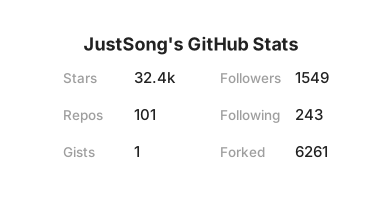
知乎:`https://stats.justsong.cn/api/zhihu?username=excited-vczh`
> 注意不是你主页显示的用户名,而是是点开你的知乎主页,URL 中最后一段,例如是 `https://www.zhihu.com/people/excited-vczh` 中的 `excited-vczh`
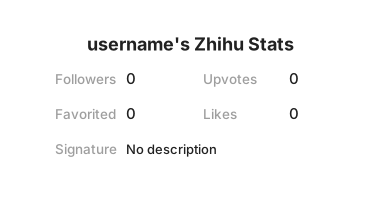
B 站:`https://stats.justsong.cn/api/bilibili/?id=666`
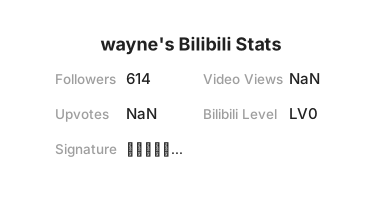
LeetCode 英文站:`https://stats.justsong.cn/api/leetcode/?username=quanpeng`
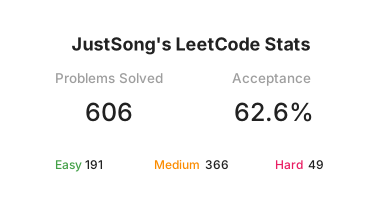
LeetCode 中文站:`https://stats.justsong.cn/api/leetcode?username=quanpeng&cn=true`
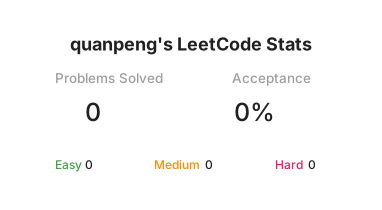
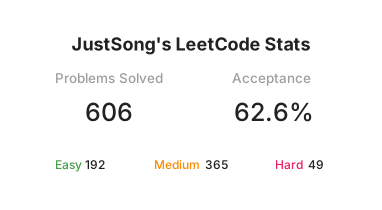
LeetCode 中文站英文站双修:`https://stats.justsong.cn/api/leetcode?username=quanpeng&cn_username=quanpeng`
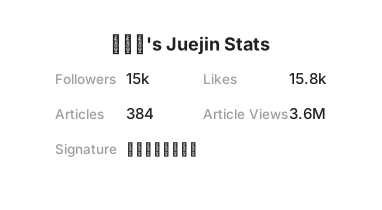
掘金:`https://stats.justsong.cn/api/juejin?id=1556564194374926`
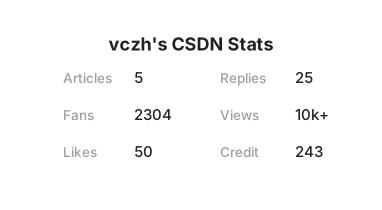
CSDN:`https://stats.justsong.cn/api/csdn?id=vczh`
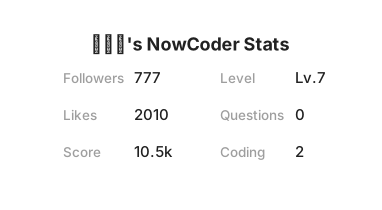
牛客:`https://stats.justsong.cn/api/nowcoder?id=6484283`
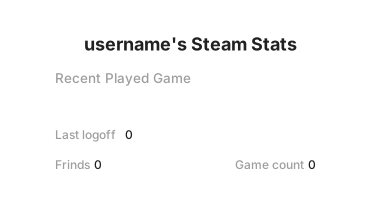
Steam: `https://stats.justsong.cn/api/steam`
## 部署
你可以通过 Vercel 进行部署,或者部署到自己的服务器上。
### 环境变量配置
部署的时候,有一些环境变量可以设置,均为可选:
1. `BILIBILI_SESSDATA`:B 站的 `SESSDATA` Cookie,用以抓取 B 站数据,注意这个 Cookie 半年过期一次,届时需要重新设置 & 部署。
2. `GITHUB_TOKEN`:GitHub Token,无任何权限的即可,用于抓取 GitHub 数据。
3. `STEAM_ID`: Steam的个人ID, 使用浏览器登录Steam后,点击个人信息,网站地址中profiles后面的部分就是STEAM_ID
4. `STEAM_API_TOKEN`: 根据这个链接获取token,https://steamcommunity.com/dev/apikey
5. `CACHE_TIME`:缓存时间,包括服务端缓存和客户端缓存,单位为秒,默认 `6000`,即 100 分钟。
6. `MAX_CACHE_ITEMS`:最大缓存数量,默认 `1024`,缓存超出后将采取 LRU 策略进行淘汰。
7. `PORT`:服务端口号,默认 `3000`。
### 部署到 Vercel
1. fork 本项目。
2. 在 [Vercel](https://vercel.com/new) 上选择导入 GitHub 仓库。
3. 设置上述环境变量。
### 部署到自己的服务器
具体方法如下:
```shell
git clone https://github.com/songquanpeng/stats-cards.git
cd stats-cards
npm i
node ./app.js
# or
pm2 start ./app.js --name stats-cards
```
设置环境变量的方式:`ENV_NAME=value cmd`
+ 例如设置端口号:`PORT=3000 node ./app.js`
## 其他
1. [创意参考 & 主题参考](https://github.com/anuraghazra/github-readme-stats)
2. 如有爬虫失效,请及时提 issue!
3. 卡片本身带有阴影效果,然而有些博客主题会自动给图片加阴影效果,这样将导致出现双重阴影,解决方法是使用 img 标签和 CSS
来移除博客主题提供的阴影效果,例如:`<img src="https://stats.justsong.cn/api/leetcode?username=username&cn=true" style="box-shadow:none !important">`
4. 点击[查看都有谁在使用](https://github.com/search?q=extension%3Amd+%22stats.justsong.cn%22&type=Code)。