1
2
3
4
5
6
7
8
9
10
11
12
13
14
15
16
17
18
19
20
21
22
23
24
25
26
27
28
29
30
31
32
33
34
35
36
37
38
39
40
41
42
43
44
45
46
47
48
49
50
51
52
53
54
55
56
57
58
59
60
61
62
63
64
65
66
67
68
69
70
71
72
73
74
75
76
77
78
79
80
81
82
83
84
85
86
87
88
89
90
91
92
93
94
95
96
97
98
99
100
101
102
103
104
105
106
107
108
109
110
111
112
113
114
115
116
117
118
119
120
121
122
123
124
125
126
127
128
129
130
131
132
133
134
135
136
137
138
139
140
141
142
143
144
145
146
147
148
149
150
151
152
153
154
155
156
157
158
159
160
161
162
163
164
165
166
167
168
169
170
171
172
173
174
175
176
177
178
179
180
181
182<p align="right">
<a href="./README.md">中文</a> | <strong>English</strong>
</p>
<div align="center">
# Stats Cards
_✨ Show your LeetCode & GitHub stats in GitHub Profile. ✨_
</div>
<p align="center">
<a href="https://raw.githubusercontent.com/songquanpeng/stats-cards/master/LICENSE">
<img src="https://img.shields.io/github/license/songquanpeng/stats-cards?color=brightgreen" alt="license">
</a>
<a href="https://github.com/songquanpeng/stats-cards/releases/latest">
<img src="https://img.shields.io/github/v/release/songquanpeng/stats-cards?color=brightgreen&include_prereleases" alt="release">
</a>
<a href="https://stats.justsong.cn/">
<img src="https://stats.justsong.cn/api/website/?url=https://stats.justsong.cn/" alt="release">
</a>
</p>
<p align="center">
<a href="#Description">Description</a>
·
<a href="#Demonstration">Demonstration</a>
·
<a href="https://stats.justsong.cn/reward.html">Reward</a>
·
<a href="https://github.com/songquanpeng/stats-cards/issues">Feedback</a>
</p>
## Description
### Supported Websites
Currently, we support the following websites, PR is welcomed:
- [x] Zhihu
- [x] Bilibili
- [x] LeetCode
- [x] LeetCode (China Version)
- [x] Juejin(By [@jiweiyuan](https://github.com/jiweiyuan))
- [x] NowCoder
- [x] CSDN
- [x] GitHub
- [x] Steam
- [ ] NetEase Music
- [x] Custom Website Monitoring
### Supported Themes
We support multiple themes.
Multiple themes are supported, just add `&theme=<theme_name>` after the url. For example:
`https://stats.justsong.cn/api/leetcode/?username=quanpeng&theme=dark`
<p>
<img src="https://stats.justsong.cn/api/leetcode/?username=quanpeng&theme=light" alt="JustSong's LeetCode Stats" width="49%" />
<img src="https://stats.justsong.cn/api/leetcode/?username=quanpeng&theme=dark" alt="JustSong's LeetCode Stats" width="49%" />
</p>
Theme list: `light`、`dark`、`merko`、`gruvbox`、`gruvbox_light`、`tokyonight`、`onedark`...
For a complete list of themes see [common/theme.js](./common/theme.js)
, or see [theme list of github-readme-stats](https://github.com/anuraghazra/github-readme-stats/tree/master/themes).
### Supported Languages
The default language is English. If you want to change it to Chinese, just add `&lang=zh-CN` after the url, for example:
<p>
<img src="https://stats.justsong.cn/api/juejin?id=1556564194374926&lang=zh-CN" alt="掘金酱的掘金数据" width="49%" />
<img src="https://stats.justsong.cn/api/bilibili/?id=483246073&lang=zh-CN" alt="蓝天的 B 站数据" width="49%" />
</p>
For the support of other languages, PR is always welcomed.
## Demonstration
### Custom Website Monitoring
Custom website monitoring:`https://stats.justsong.cn/api/website/?url=https://github.com/&style=flat&logo=github`
Where style and logo are optional, for specific values please refer
to [shield.io](https://shields.io/category/monitoring#:~:text=PREFIX%3E%26suffix%3D%3CSUFFIX%3E-,Styles,-The%20following%20styles)
.
> Note that monitoring is not real-time, it is affected by the set cache time


### Website Stats Display
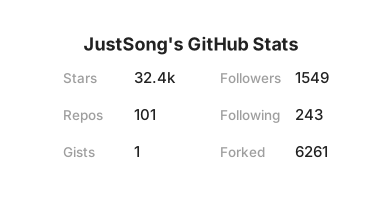
GitHub: `https://stats.justsong.cn/api/github?username=songquanpeng`
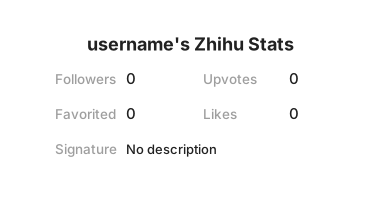
Zhihu: `https://stats.justsong.cn/api/zhihu?username=excited-vczh`
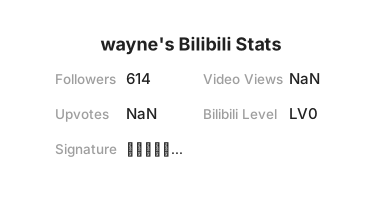
Bilibili:`https://stats.justsong.cn/api/bilibili/?id=666`
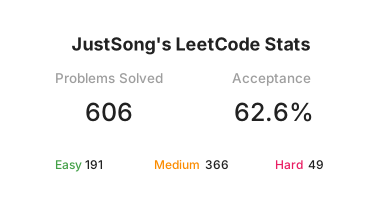
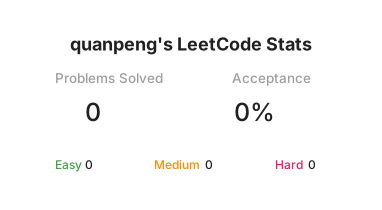
LeetCode: `https://stats.justsong.cn/api/leetcode/?username=quanpeng`
LeetCode (China Version): `https://stats.justsong.cn/api/leetcode?username=quanpeng&cn=true`
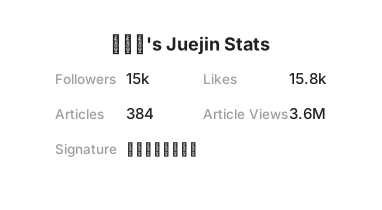
Juejin: `https://stats.justsong.cn/api/juejin?id=1556564194374926`
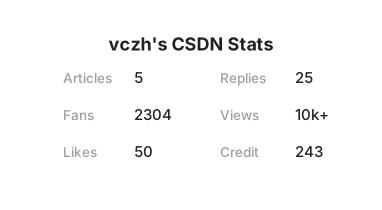
CSDN: `https://stats.justsong.cn/api/csdn?id=vczh`
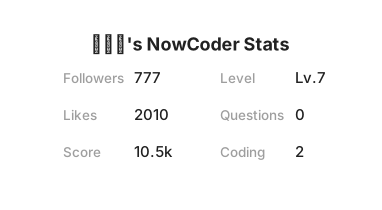
Nowcoder: `https://stats.justsong.cn/api/nowcoder?id=6484283`
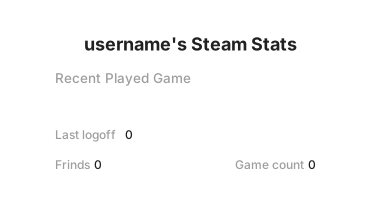
Steam: `https://stats.justsong.cn/api/steam`
## Deployment
You can deploy through Vercel, or deploy to your own server.
### Environment Variables
When deploying, there are some environment variables that can be set, all of which are optional:
1. `BILIBILI_SESSDATA`: Bilibili's `SESSDATA` cookie.
2. `GITHUB_TOKEN`: GitHub token.
3. `STEAM_ID`: Steam personal ID, use browser to login Steam, then click personal profile, the id behind the profiles in the URL is the STEAM_ID
4. `STEAM_API_TOKEN`: According the link to get the token,https://steamcommunity.com/dev/apikey
5. `CACHE_TIME`: cache time, the unit is second, default value is `6000`, namely 100 minutes.
6. `MAX_CACHE_ITEMS`: maximum cache items, default value is `1024`.
7. `PORT`: service port number, default value is `3000`.
### Deploy to Vercel
1. fork this repo。
2. Import your repo on [Vercel](https://vercel.com/new).
3. Set the above environment variables.。
### Deploy to Your Own Server
Steps:
```shell
git clone https://github.com/songquanpeng/stats-cards.git
cd stats-cards
npm i
node ./app.js
# or
pm2 start ./app.js --name stats-cards
```
Set environment variables: `ENV_NAME=value cmd`
+ For example: `PORT=3000 node ./app.js`
## Others
1. [Idea reference & theme reference](https://github.com/anuraghazra/github-readme-stats)
2. If any crawler fails, please file an issue in time!
3. The card itself has a shadow effect, but some blog themes will automatically add a shadow effect to the image, which
will cause a double shadow. The solution is to use the img tag and CSS to remove the shadow effect provided by the
blog theme. For
example: `<img src="https://stats.justsong.cn/api/leetcode?username=username&cn=true" style="box-shadow:none !important">`
4. Click to [check who is using this](https://github.com/search?q=extension%3Amd+%22stats.justsong.cn%22&type=Code).