1
2
3
4
5
6
7
8
9
10
11
12
13
14
15
16
17
18
19
20
21
22
23
24
25
26
27
28
29
30
31
32
33
34
35
36
37
38
39
40
41
42
43
44
45
46
47
48
49
50
51
52
53
54
55
56
57
58
59
60
61
62
63
64
65
66
67
68
69
70
71
72
73
74# :eye: Sentry
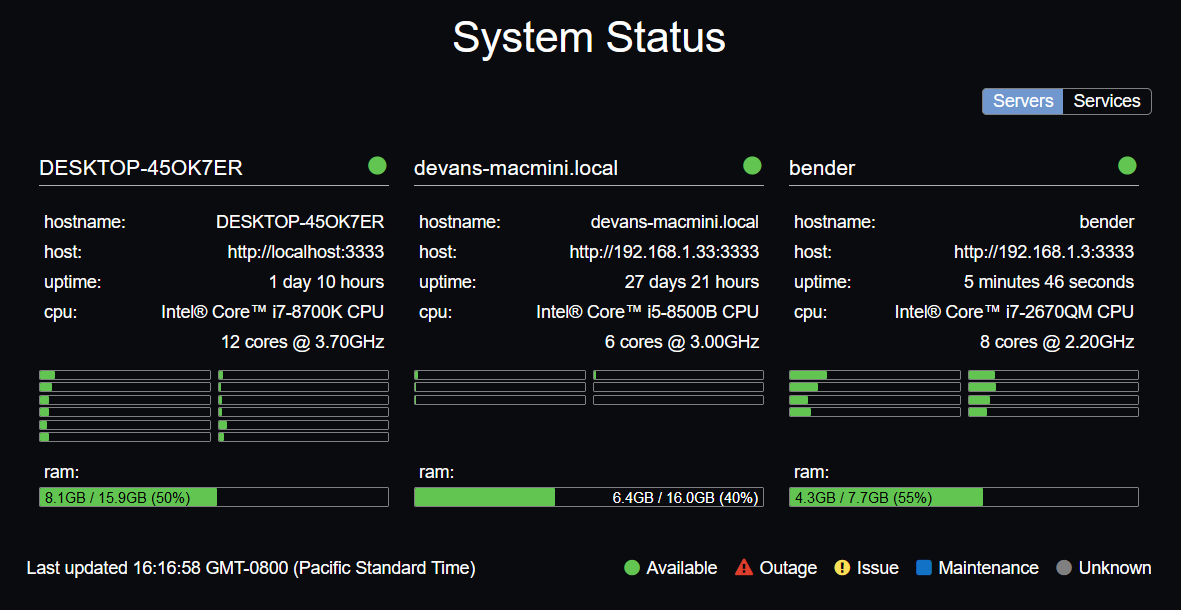
| package | version |
| ------- | ------- |
| [sentry-client-web](https://github.com/sbuggay/sentry/tree/master/packages/sentry-client/dist) | [](https://badge.fury.io/js/sentry-client-dist) |
| [sentry-server-data](https://github.com/sbuggay/sentry/tree/master/packages/sentry-server-data) | [](https://badge.fury.io/js/sentry-server-data) |
| [sentry-server-host](https://github.com/sbuggay/sentry/tree/master/packages/sentry-server-host) | [](https://badge.fury.io/js/sentry-server-host) |
## Getting up and running
### Installing sentry-server-host
sentry-server-host is used to serve up the sentry client and to persist monitor data.
```bash
npm i -g sentry-server-host
```
### Installing sentry-server-data
sentry-server-data provides system and service data for the sentry client.
```bash
npm i -g sentry-server-data
```
It can be run with these options.
```bash
$ sentry-server-data -h
Usage: sentry-server-data [options]
Options:
-h, --help output usage information
-c, --config <config> Specified config
-p, --port <port> Specified port
```
For example:
```bash
$ sentry-server-data -p 8080
sentry-server-data is running on port 8080
```
### Contributing
Clone the repository.
```bash
git clone https://github.com/sbuggay/sentry.git
```
Install lerna.
```bash
npm i -g lerna
```
Install dependencies.
```bash
npm run bootstrap
```
Running tests.
```bash
npm run test
```