1
2
3
4
5
6
7
8
9
10
11
12
13
14
15
16
17
18
19
20
21
22
23
24
25
26
27
28
29
30
31
32
33
34
35
36
37
38
39
40
41
42
43
44
45
46
47
48
49
50
51
52
53
54
55
56# gimbo's zsh prompt theme
> A zsh theme with lots of features, little eye candy, and a magic
> context-sensitive extra line
This is my zsh prompt, a modification/extension of the
[purepower](https://github.com/romkatv/dotfiles-public/blob/master/.purepower)
config for the
[powerlevel10k](https://github.com/romkatv/powerlevel10k) theme.
It's fairly minimal in terms of eye candy, focusing on showing the
interesting data, with a smattering of colour (suitable for a dark
background) to highlight important parts.
The main feature of note is probably the second line, which only
appears in the presence of a python venv or git repo.
## Structure
This is a two- or three-line prompt, depending on context. We have:
* First line:
- History number
- Time
- Context (i.e. username/hostname)
- Directory writable status
- Directory - in full
- Status of last command if it failed
- pyenv in use if not standard
* Second line - only shown if either of the following are present:
- Python virtualenv name
- Git info, consisting of:
+ Repo name (i.e. name of folder containing `.git` folder)
+ (A fixed `±` separator)
+ Branch name
+ Dirtiness indicators
* Actual prompt line:
- Just a `$` except if in vicmd mode (then it's a `<`)
- Green if last command succeeded; red otherwise.
* Right hand side:
- Command execution time
- Indicator if user is root
- Background jobs indicator
## Screenshots
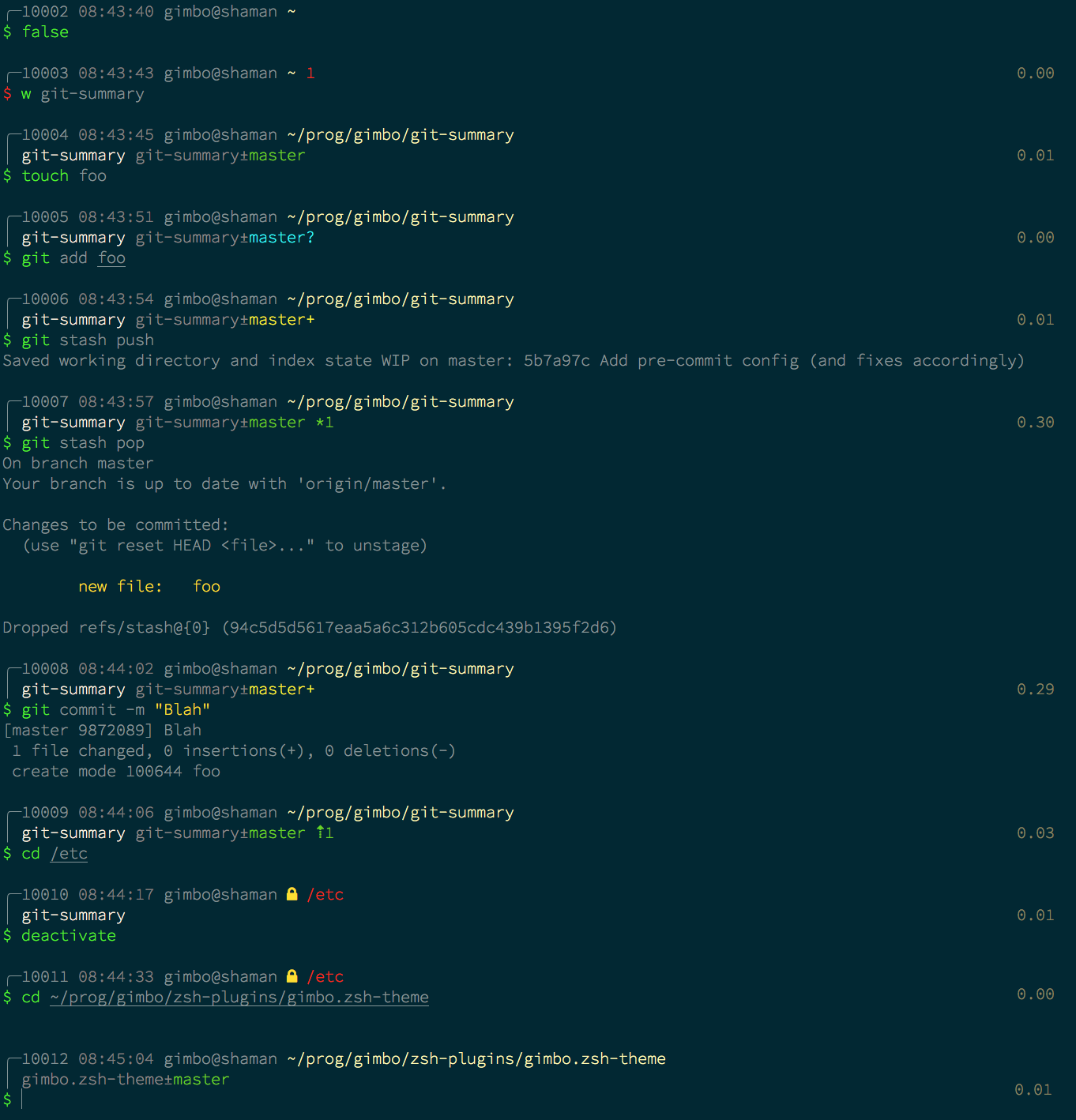
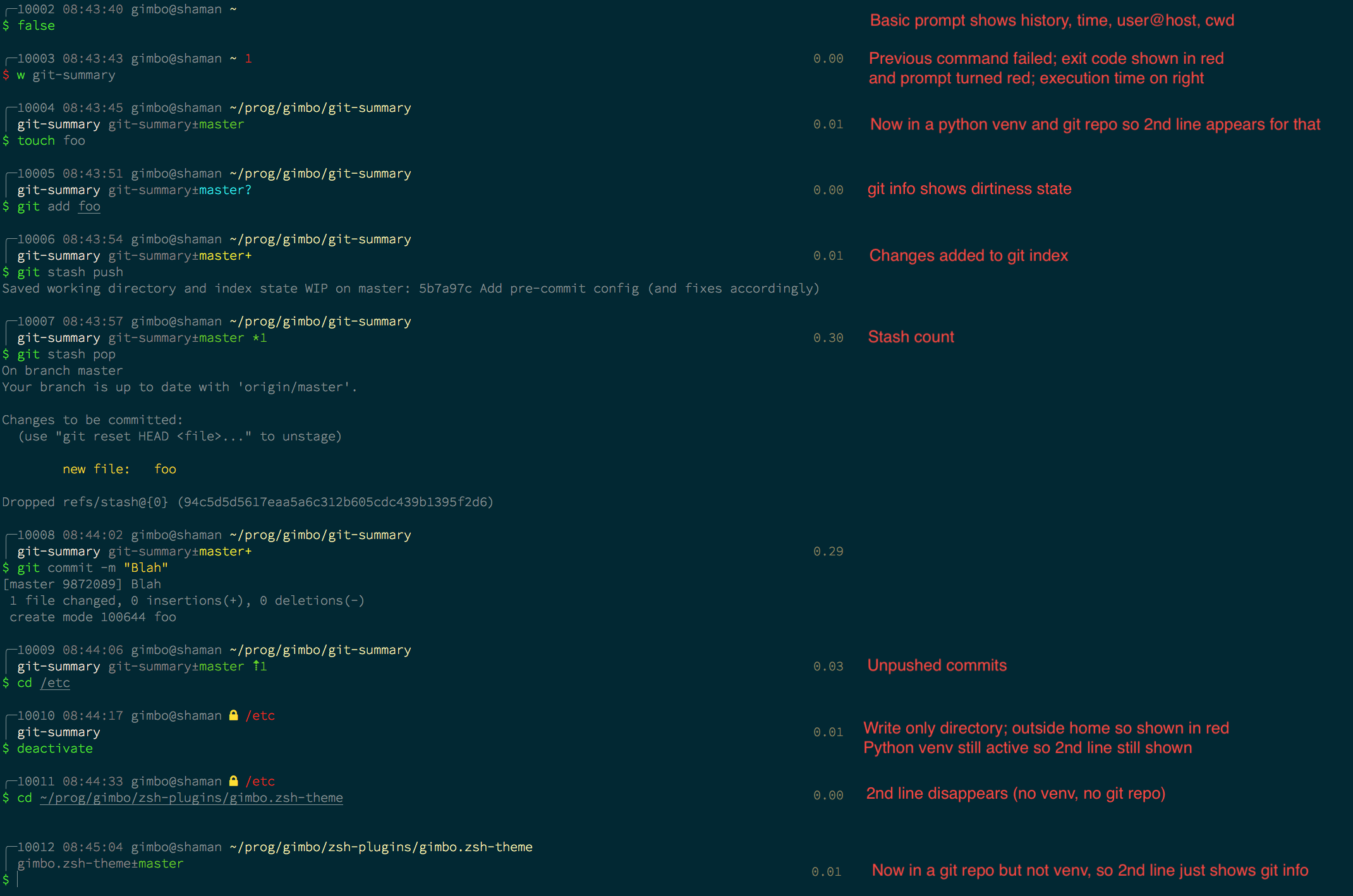
Same examples, With annotations: