1
2
3
4
5
6
7
8
9
10
11
12
13
14
15
16
17
18
19
20
21
22
23
24
25
26
27
28
29
30
31
32
33
34
35
36
37
38
39
40
41
42
43
44
45
46
47
48
49
50
51
52
53
54
55
56
57
58
59
60
61
62
63
64
65
66
67
68
69
70
71
72
73
74
75
76
77
78
79
80
81
82
83
84
85
86
87
88
89
90
91
92
93
94
95
96
97
98
99
100
101
102
103
104
105
106
107
108
109
110
111
112
113
114
115
116
117<div align="center">
<a href="https://github.com/dockur/dnsmasq"><img src="https://raw.githubusercontent.com/dockur/dnsmasq/master/.github/logo.png" title="Logo" style="max-width:100%;" width="256" /></a>
</div>
<div align="center">
[![Build]][build_url]
[![Version]][tag_url]
[![Size]][tag_url]
[![Package]][pkg_url]
[![Pulls]][hub_url]
</div></h1>
Docker container of [dnsmasq](https://thekelleys.org.uk/dnsmasq/doc.html), an open-source DNS server.
## Usage 🐳
##### Via Docker Compose:
```yaml
services:
dnsmasq:
image: dockurr/dnsmasq
container_name: dnsmasq
environment:
DNS1: "1.0.0.1"
DNS2: "1.1.1.1"
ports:
- 53:53/udp
- 53:53/tcp
cap_add:
- NET_ADMIN
restart: always
```
##### Via Docker CLI:
```bash
docker run -it --rm --name dnsmasq -p 53:53/udp -p 53:53/tcp -e "DNS1=1.0.0.1" -e "DNS2=1.1.1.1" --cap-add=NET_ADMIN docker.io/dockurr/dnsmasq
```
## Configuration ⚙️
You can set the `DNS1` and `DNS2` environment variables to change which upstream DNS
servers to use.
For example, you can set them to the public [Cloudflare](https://www.cloudflare.com/learning/dns/what-is-1.1.1.1/) servers like this:
```yaml
environment:
DNS1: "1.0.0.1"
DNS2: "1.1.1.1"
```
You can extend the default configuration with a volume that mounts a
directory containing `*.conf` configuration files:
```yaml
volumes:
- ./dnsmasq.d/:/etc/dnsmasq.d/
```
You can also override [dnsmasq.conf](https://github.com/dockur/dnsmasq/blob/master/dnsmasq.conf) completely with a volume that binds your custom configuration file:
```yaml
volumes:
- ./dnsmasq.conf:/etc/dnsmasq.conf
```
## FAQ 💬
* ### Port 53 is already in use?
If some process on the host is already binding to port `53`, you may see an error similar
to the following:
```
Error response from daemon: driver failed programming external connectivity on
endpoint dnsmasq (...): Error starting userland proxy: listen tcp4 0.0.0.0:53: bind:
address already in use
```
You can inspect which process is binding to that port:
```bash
$ netstat -lnpt | grep -E ':53 +'
tcp 0 0 127.0.0.53:53 0.0.0.0:* LISTEN 197/systemd-resolve
```
On hosts running `systemd`, such as in this example, you can workaround this by
specifying the IP addresses on which to bind port `53`, for example:
```yaml
ports:
- "192.168.1.###:53:53/udp"
- "192.168.1.###:53:53/tcp"
```
There are many other host-specific cases where some process and configuration binds
port `53`. It may be an unused DNS daemon, such as `bind` that needs to be
uninstalled or disabled, or a number of other causes. So finding out which process is
binding the port is a good place to start debugging.
## Stars 🌟
[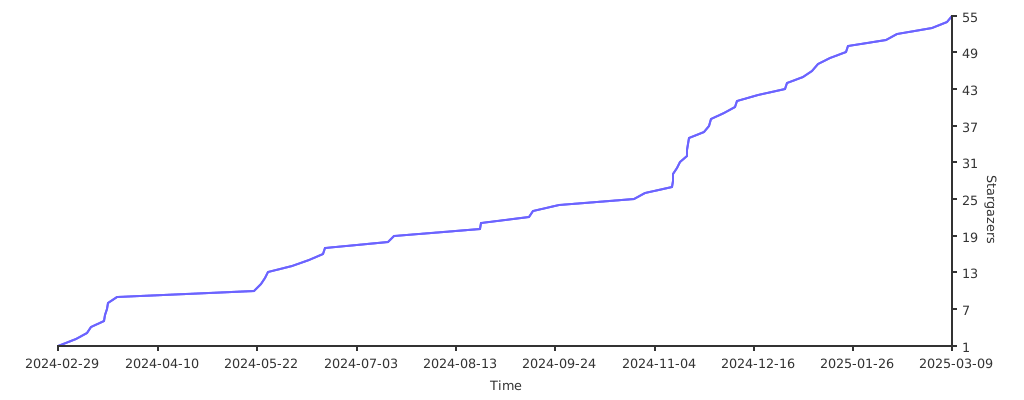](https://starchart.cc/dockur/dnsmasq)
[build_url]: https://github.com/dockur/dnsmasq/
[hub_url]: https://hub.docker.com/r/dockurr/dnsmasq
[tag_url]: https://hub.docker.com/r/dockurr/dnsmasq/tags
[pkg_url]: https://github.com/dockur/dnsmasq/pkgs/container/dnsmasq
[Build]: https://github.com/dockur/dnsmasq/actions/workflows/build.yml/badge.svg
[Size]: https://img.shields.io/docker/image-size/dockurr/dnsmasq/latest?color=066da5&label=size
[Pulls]: https://img.shields.io/docker/pulls/dockurr/dnsmasq.svg?style=flat&label=pulls&logo=docker
[Version]: https://img.shields.io/docker/v/dockurr/dnsmasq/latest?arch=amd64&sort=semver&color=066da5
[Package]: https://img.shields.io/badge/dynamic/json?url=https%3A%2F%2Fipitio.github.io%2Fbackage%2Fdockur%2Fdnsmasq%2Fdnsmasq.json&query=%24.downloads&logo=github&style=flat&color=066da5&label=pulls